How To List Contract Client Work on LinkedIn in 2024
As an agency owner, your LinkedIn profile gets viewed by potential clients during the sales process. It can be the difference between winning or losing a new contract worth thousands of dollars.
While it’s straightforward to add things like full-time work experience, and past job titles to your LinkedIn profile, what about contract work?
How do you list past client work in ways that will persuade potential clients to hire you for their opening? Here’s some idea for agencies and independent contractors looking to land more contract jobs.
And if you’re looking for website design and development leads, here’s a resource I strongly recommend:
Attach PDF Work Samples Directly to Your Work History Section
Here’s a quick way to show a variety of clients you’ve worked with and contract experience you’ve had even if you don’t have a long employment history or have only worked in one place.
Inside of your current job description at your company or employer name, you can attach several PDFs or images for potential employers. It should look like this:
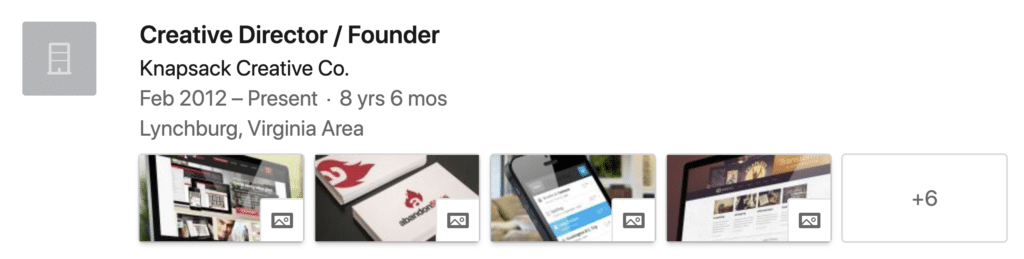
This can be a great way to showcase past work because you’re essentially giving clients a place to see past case studies and the work you did for different contracts.
To attach these case studies, click on Add to Profile > Featured > Media. For someone like a freelance graphic designer, this gives you a place to feature dozens of logos or websites instead of just a boring job description.
Create a Company Profile for Your Contract Work
A mistake many self-employed and agency owners make is they list their company name under the experience section of the profile but they don’t create a company profile page for it.
Instead, take an extra few minutes to upload your logo, add a company location and specialization, because it can go a long way in beefing up your credibility.
Compare how these two profiles come off to a client:
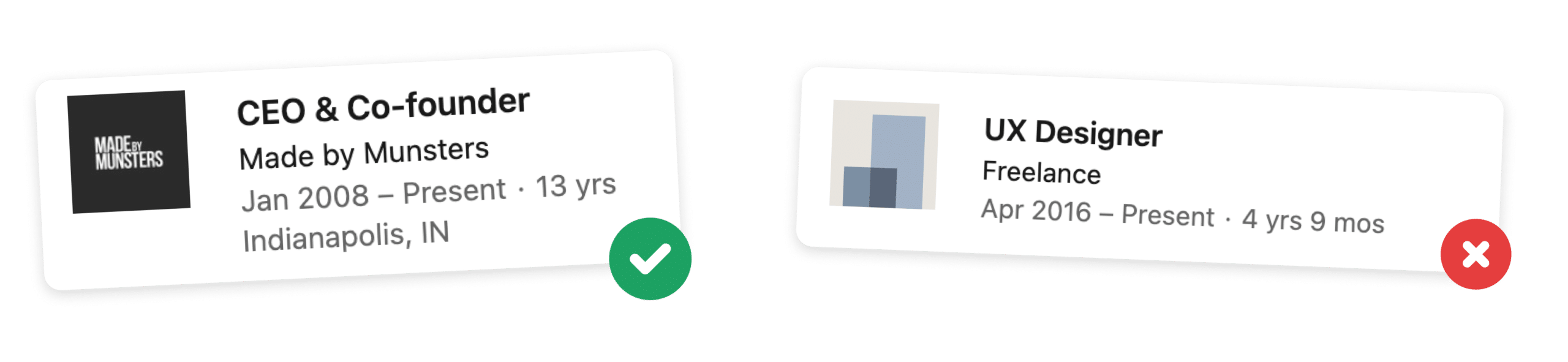
The example on the left comes off much more professional to a potential client or recruiter. As an added bonus, people can also follow your company when you create a company profile which means anytime you post from that profile it will show up in their feed.
Describe Your Value Proposition in Your LinkedIn Headline
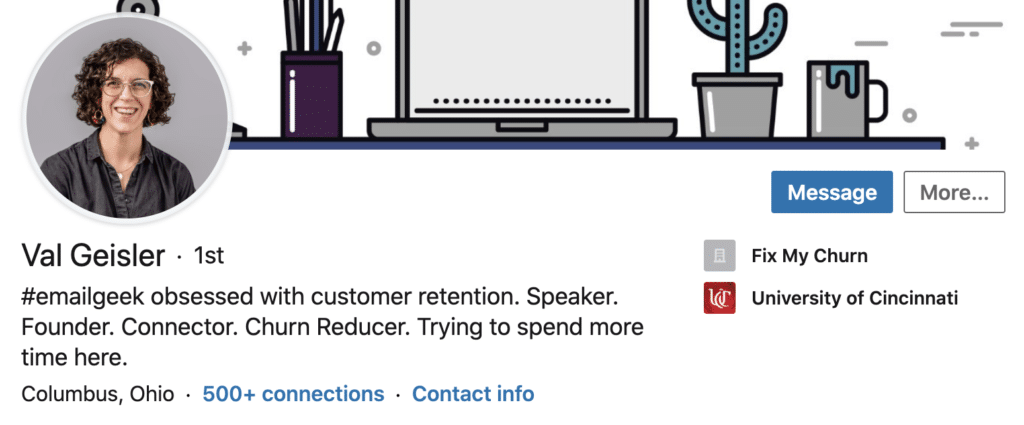
After your name and location, your headline is one of the most visible and important components of your profile. A LinkedIn headline is a few words about what you do that shows up next to your name on your profile and anywhere you comment or post.
If written persuasively, it can attract clients who need the kind of work you do. Take a few minutes to write a headline that is focused on addressing your prospects biggest pain point and paint the dream of what fixing this would feel like. This can attract contract roles to you you would’ve never heard about.
Pimp out Your Recommendations Section by Asking Clients for Testimonials
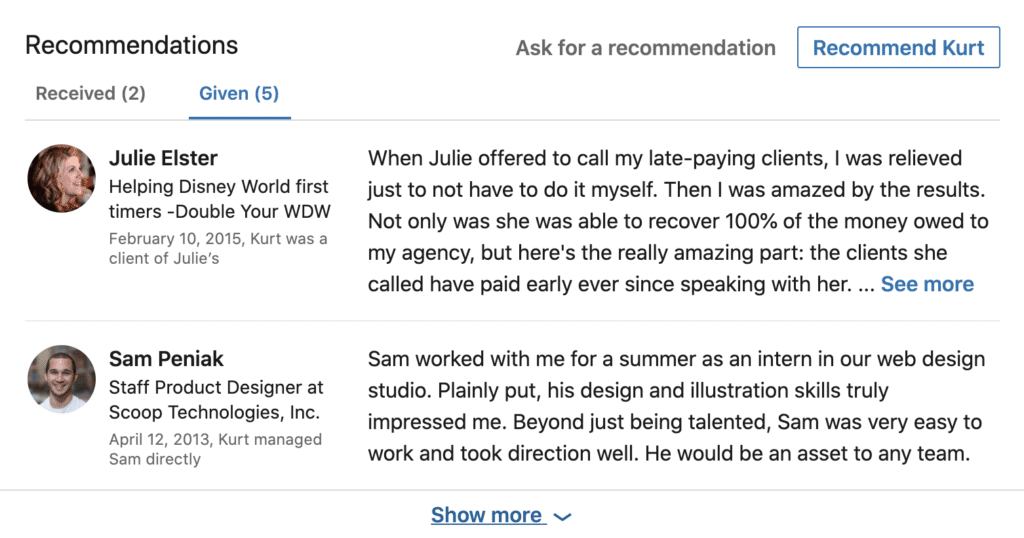
My biggest hack for getting recommendations on LinkedIn: is to give some out. I recommend giving 5 out today to get 1 or 2 in the next week.
Simply add your past clients or contract positions on LinkedIn and write up a recommendation of them. Although it only takes a few minutes, they’ll be likely to return the favor.
You can also use the “Ask for a Recommendation” feature. Be sure to personalize the request and provide some bullet points for them on what they should write.
Use Your About Summary To List Accomplishments
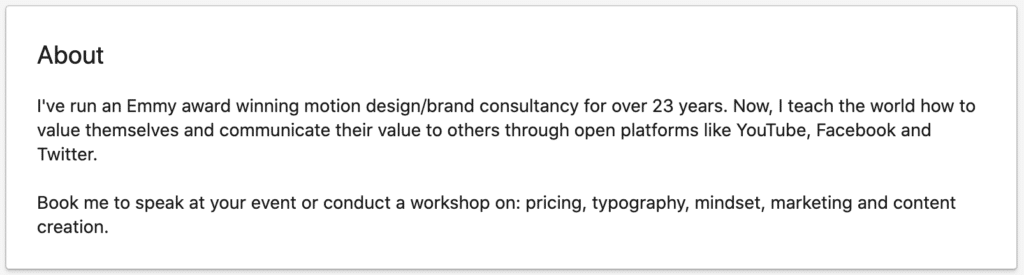
Your About Summary is a text box at the top of your LinkedIn profile, that lets you write up to 2,000 characters about yourself. Use this box to showcase the biggest highlights from your work experience and the types of gigs you’re looking for. Use keywords that you’d like to show up in searches for and don’t forget to provide a brief description of your services.
Add Client Testimonials to Your About Summary
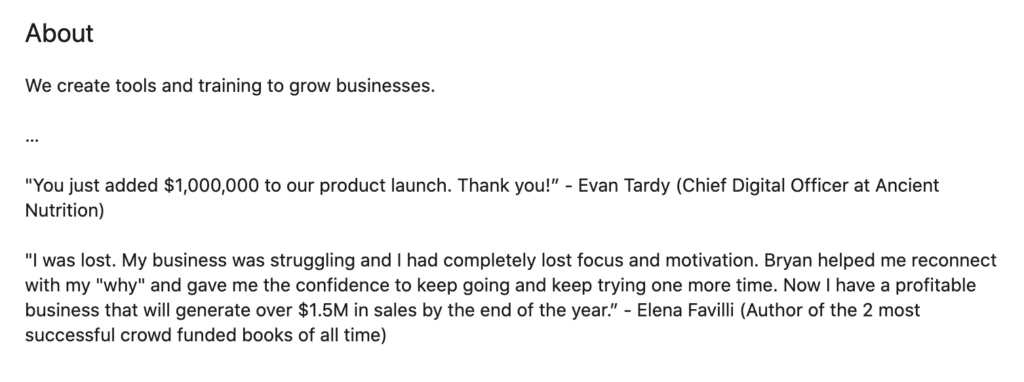
Here’s a hack if you don’t have any “recommendations” but you do have past testimonials that you want to feature. Add them to your about section of your profile. This allows you to feature any testimonials you’ve gotten outside of LinkedIn in a prominent location.
List Contract Work, Case Studies, News Features, and Portfolio Pieces in Your Featured Section
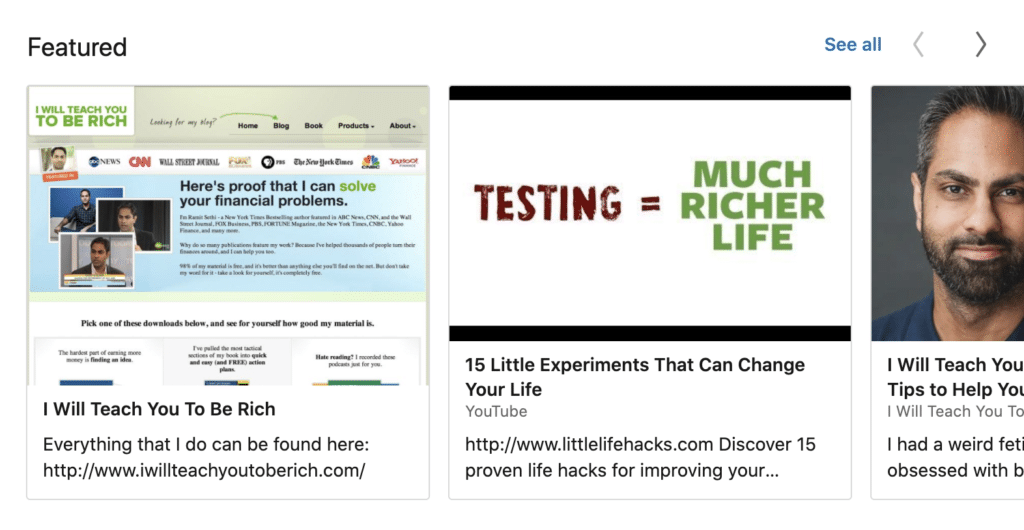
One of the best ways to make your profile stand out to clients is to use the Featured Section of your LinkedIn profile. Pretend your website doesn’t exist. How can you bring all of the information and work samples prospective clients need to your LinkedIn profile? Remember to stay up to date with your latest portfolio pieces and news features.
Write Posts and Comments That Sell Your Work to Potential Clients
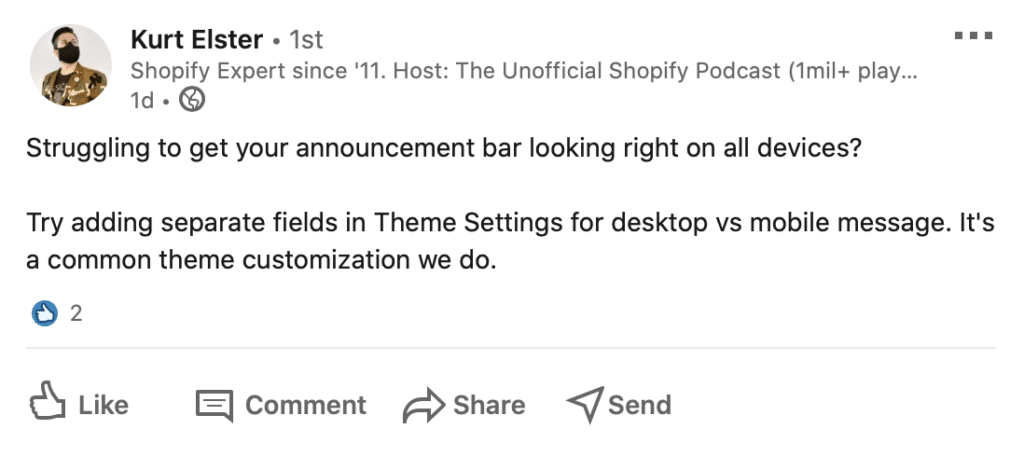
Like most social media, one of the best ways to promote yourself is to contribute interesting content. LinkedIn actually features any recent comments or posts that you’ve created directly in your profile.
Some ideas might be talk about something you learned in a recent project or give your opinion on something that most clients get wrong. Use plain english. This can be a great way to talk about projects you signed an NDA for and can’t list the company or project directly.
What To Do Next
LinkedIn can be a great place to find not just full-time jobs but also contracts for your agency and freelance business. However, your job search for this type of work can also take a long time. If you’re an agency owner looking for short-term web design and development gigs, I recommend checking out my done for you LinkedIn lead generation service. We’ll send you new jobs and RFPs that clients share on LinkedIn each week.
Free Offer
Claim Your Free Lead
Last year we sent over 500 RFPs, worth over $37M in project work.
If you're a US-based agency owner, I'd love to send you a few free leads as my gift to you. Sign up below to get started.